Preflight
Checking compatibility...
Intelligence APIs: available
Intelligence APIs: not supported
Your browser does not support one or more of the following APIs:
navigator.registerProtocolHandler(),
window.requestAnimationFrame(),
Page Visibility API .
Web Audio API: available
Web Audio API: not supported
Your browser does not support the
Web Audio API .
You need Chrome 14+.
Fullscreen API: available
Fullscreen API: not supported
Your browser does not support the
Fullscreen API .
If you're using Chrome, you need Chrome 16+ ( currently Canary ), or try the
--enable-fullscreen flag for 15.
WebRTC: available
WebRTC: not supported
Your browser does not support one or more of the APIs needed for
WebRTC .
Web Intents: available
Web Intents: not supported
If things look good, press → to move on.
Bleeding Edge HTML5
MM DD, 2011 -
Who?
+
@
Blog:
Slides: bit.ly/edge-11
Agenda
Intelligent Web Apps ( Smarter Platform )
Rich Multimedia ( Powerful New APIs )
Fullscreen API
Web RTC
Web Audio API
Smarter animations
Common technique for JS animations:
window.setTimeout(function() {
  // move element. Call this again.
}, 1000 / 60); // 60fps.
Preferred technique:
window.requestAnimationFrame = window.webkitRequestAnimationFrame ||
    window.mozRequestAnimationFrame || window.msRequestAnimationFrame;

var reqId_ = null;
(function callback(time) { // time is the Unix time.
  // move element.
  reqId_ = window.requestAnimationFrame(callback, opt_elem /* bounding elem */);
})();
Now possible to synchronize JS-based animations with CSS/SVG animations
Chrome caps sampling at 60fps (no big, your monitor is ~60Hz)
Callback won't be invoked if tab/element is not visible ( display:none )
Tells the browser your intentions are to animate something
Example
Old and busted:
function draw() {
  var now = new Date().getTime();
  // update models.
  paintScene(canvas);
  window.setTimeout(draw, 10);
}
draw();
New hotness:
function draw(time) {
  // update models.
  paintScene(canvas);
  window.requestAnimationFrame(draw, canvas);
}
draw();
Page Visibility API / Prerendering
Determine if your app is visible or not:
document.addEventListener('visibilitychange ', function(e) {
console.log('hidden:' + document.hidden,
'state:' + document.visibilityState)
}, false);
Demo
Prerendering pages:
<link rel="prerender" href="http://example.org/index.html">
Demo
Know when you're connected
Status:
if (navigator.onLine ) {
console.log('ONLINE!');
} else {
console.log('Connection flaky');
}
Online/offline events:
window.addEventListener('online', function(e) {
  // Re-sync data with server.
}, false);

window.addEventListener('offline', function(e) {
  // Queue up events for server.
}, false);
Web Intents
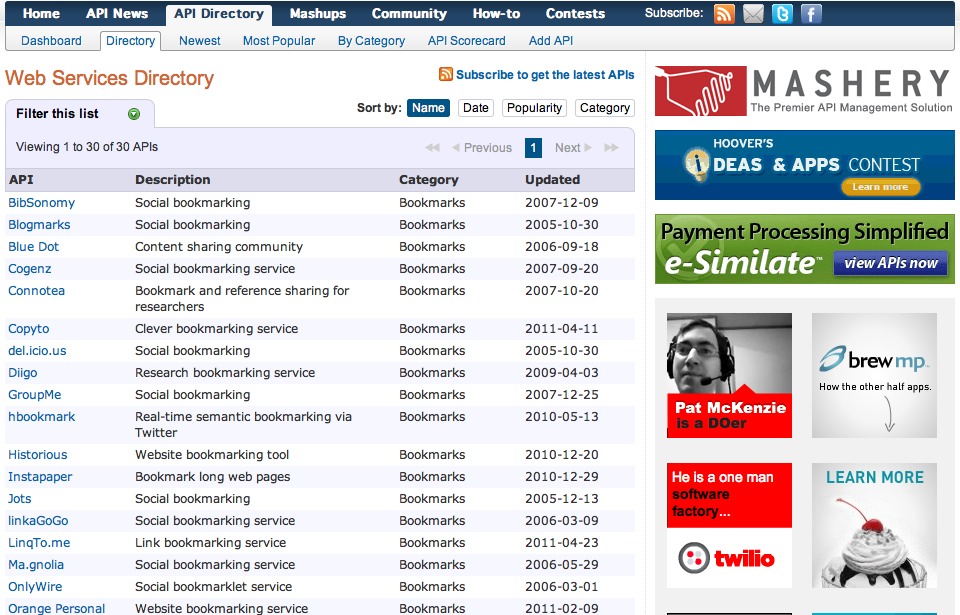
The web has a problem...
Imagine integrating with all of these!
Web Intents is a framework for client-side service discovery and inter-application communication
How does it work?
Service registers its intention to handle an action for the user
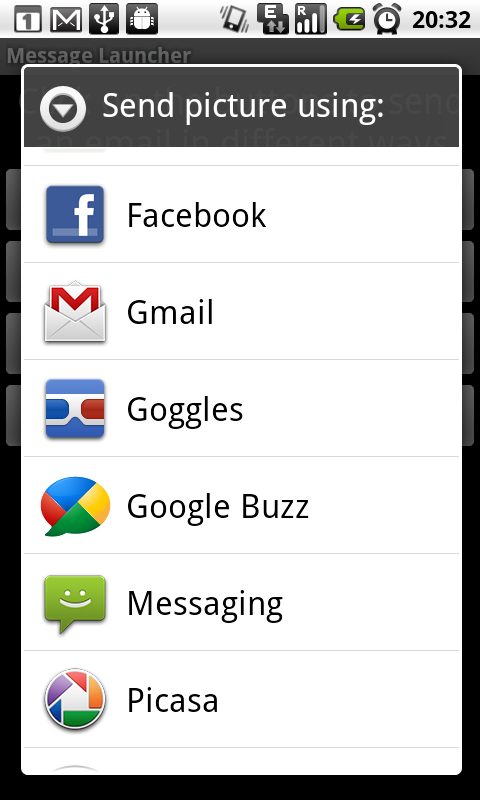
App requests to start an action (share, edit, pick, view, ...)
User selects which service to handle the action.
Sound familiar?
1. Service provider's application registers itself
Declare intention to handle image sharing:
<intent action="http://webintents.org/share " type="image/*" />
action
Required. A verb describing the action to be performed
type
Optional . Mimetype filtershref
Optional . If specified it will point to the action that is loaded
when the user chooses the service. If undefined, use the current page.
2. Client app starts an action
App says it wants to use someone's sharing functionality:
var intent = new Intent();
intent.action = 'http://webintents.org/share';
intent.type = 'image/*';
intent.data = [imgData];

window.navigator.startActivity(intent);
( 2b. user selects which awesome service to use )
3. Provider handles the action
Passed data ( optional ) is set on page load:
window.intent.data
Then what?
Nothing! - you have just integrated your apps and services
...but there's more!
Two-way communication
Client:
var intent = new Intent('http://webintents.org/pick', 'image/*');

window.navigator.startActivity(intent, function(intentData) {
  var img = document.querySelector('img');
  img.src = intentData.data[0];
});
Service: can post a callback message when it's done:
window.intent.postResult([ ... some data ... ]);
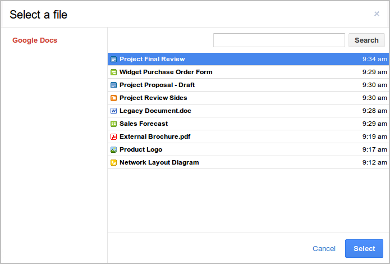
Demo - cloud picker
Pick an image ( register a picker )
Camera & microphone access
Prefixed as navigator.webkitGetUserMedia() in WebKit
window.URL.createObjectURL() is prefixed as window.webkitURL.createObjectURL() in WebKitNeeds --enable-media-stream flag in Chrome.
Video conferencing and peer-to-peer spec
Plugin-free camera, microphone, device access.
<video autoplay controls></video>
<input type="button" value="⚫" onclick="record(this)" id="start">
<input type="button" value="◼" onclick="stop(this)" id="stop" disabled>
var localMediaStream, recorder;
var record = function(button) {
recorder = mediaStream.recorder();
};
var stop = function(button) {
mediaStream.stop();
recorder.getRecordedData(function(blob) {
// Upload blob using XHR2.
});
};
window.navigator.getUserMedia ('video', function(stream) {
document.querySelector('video').src = window.URL.createObjectURL(stream) ;
localMediaStream = stream;
}, function(e) {
console.log(e);
});
Fullscreen content
<video width="300" src="movie.webm" controls></video>
<button onclick="enterFullscreen()">Get Huge!</button>
function enterFullscreen() {
var elem = document.querySelector('body');
elem.onwebkitfullscreenchange = function(e) {
console.log("Entered fullscreen!");
elem.onwebkitfullscreenchange = onFullscreenExit;
};
elem.webkitRequestFullScreen ();
}
Demo
Fullscreen API
Control of the entire document and elements:
document.webkitIsFullScreen ( bool )
document.webkitCurrentFullScreenElement ( DOMElement )
document.webkitFullScreenKeyboardInputAllowed ( bool )
document.webkitCancelFullScreen();
Element.webkitRequestFullScreen();
//Element.webkitRequestFullScreenWithKeys();
Control of media elements:
MediaElement.webkitSupportsFullscreen ( bool )
MediaElement.webkitDisplayingFullscreen ( bool )
MediaElement.webkitEnterFullScreen()
MediaElement.webkitExitFullScreen()
Web RTC
What's the problem?
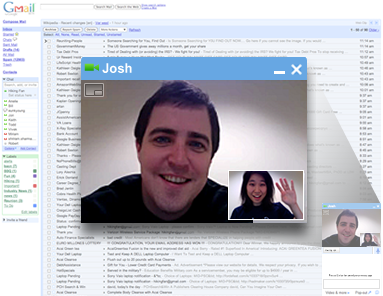
The demand for RTC is real!
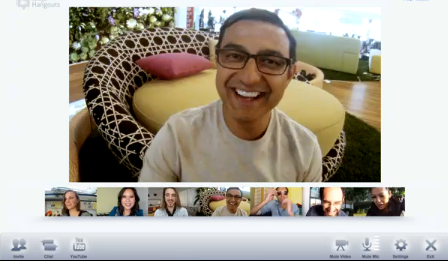
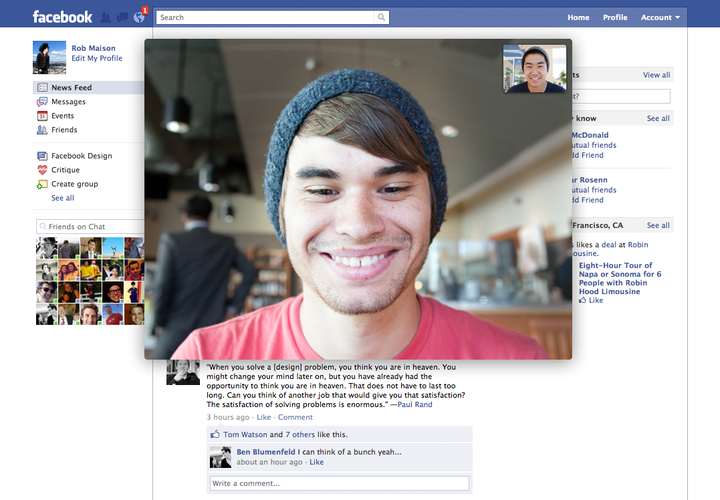
GMail Video Chat Google Plus Hangout Facebook Video Chat Tokbox
...all browser based. All requiring a special download or Flash
What is WebRTC?
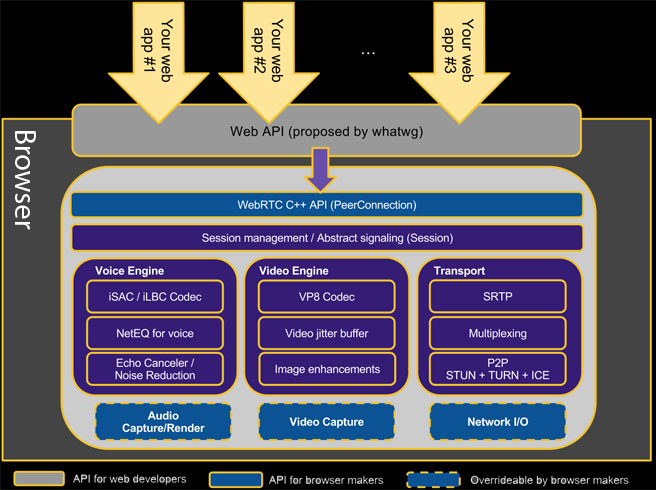
Plugin-free high quality real-time voice/video communication in the browser
Browser engine:
Echo cancellation, noise reduction, automatic gain control
Network jitter management
Web APIs:
Architecture
Build the future...
Break the "dial" paradigm
Build really social networks
Build interactive commerce
Build amazing online learning experiences
Online gaming
Build cool baby monitors
Robots!!
Community effort
Web Audio API
Don't we already have HTML5 <audio>?
Yes :)...but <audio> can only take us so far
Simple low-latency, glitch-free, audio playback and scheduling
Real-time processing and analysis
Low-level audio manipulation
Effects: spatial panning, low/high pass filters, convolution, gain, ...
Scheduled playback
var ctx = new window.webkit AudioContext ();
function playSound(arrayBuffer) { // Obtain arrayBuffer from XHR2.
ctx.decodeAudioData(arrayBuffer, function(buffer) {
var src = ctx.createBufferSource();
src.buffer = buffer;
src.looping = false;
src.connect(ctx.destination);
src.noteOn(0); // Play immediately.
}, function(e) {
console.log(e);
});
}
Shoot: Now
2s delay
Loopy
Stop
Audio processing
var ctx = new webkit AudioContext ();
var analyser = ctx.createAnalyser ();
function initAudio(arrayBuffer) {
ctx.decodeAudioData(arrayBuffer, function(buffer) {
var src = ctx.createBufferSource();
src.buffer = buffer;
src.connect(analyser); // src -> analyser -> destination
analyser.connect(ctx.destination);
render(src);
}, function(e) {
console.log('Error decoding audio file', e);
});
}
function render(src) {
(function callback(timeStamp) {
var byteData = new Uint8Array(analyser.frequencyBinCount);
analyser.getByteFrequencyData(byteData);
// draw byteData to <canvas> visualization...
window.requestAnimationFrame(callback, src);
})();
}
That was a lot!
chromestatus.com
updates.html5rocks.com
Chrome Frame
Meta tag:
<meta http-equiv="X-UA-Compatible" content="IE=Edge,chrome=1">
Header:
X-UA-Compatible: IE=Edge,chrome=1
Resources
 Intelligence APIs: available
 Intelligence APIs: not supported